How RealOpen Works
From your crypto wallet to closing. Verify your assets, document your funds, and pay for real estate with crypto — directly from self-custody.
Step 1
Create your account
Sign up with email, Apple, or Google, then verify your identity using a government-issued ID and selfie. Verification connects your account to the Proof of Funds and RealScore™ documents you’ll generate later.
Already have an account? Sign in. The checklist version is on the get-started page.
Step 2
Add your wallets and verify ownership
Paste the public address of a wallet you control. RealOpen scans it read-only and shows the supported assets it holds. It never asks for private keys or recovery phrases.
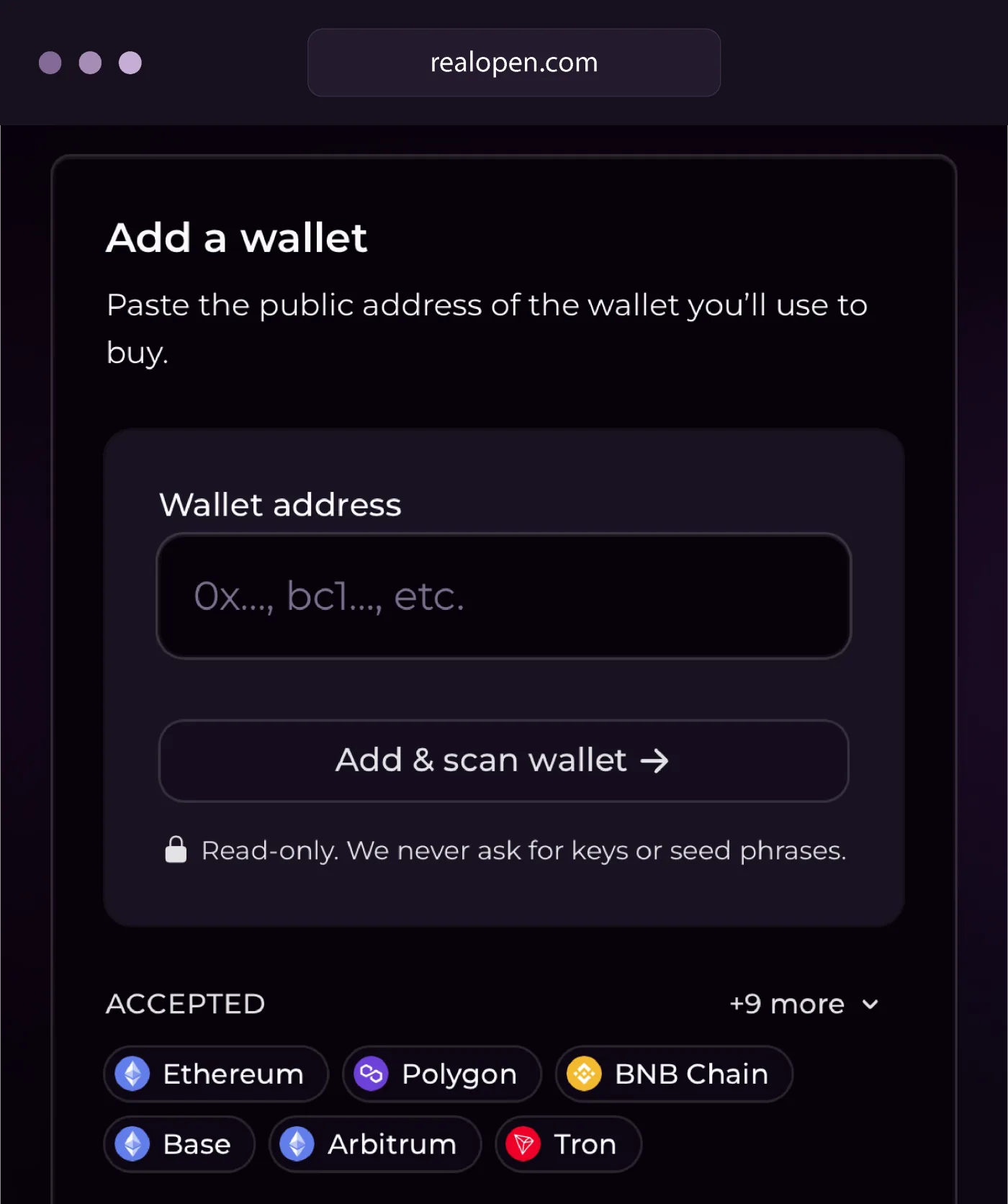
Adding an address is not the same as verifying it. A scan shows what an address holds; verification proves the address is yours. Depending on the chain and address type, you either sign a message in your wallet, which moves nothing, or send a small verification transfer of an exact amount to the address RealOpen gives you. Only verified wallets count toward Proof of Funds or appear in a RealScore™ Report. Exchange deposit addresses cannot be verified, because the exchange holds the keys; if your crypto is on an exchange, contact RealOpen before submitting a wallet and we coordinate verification and funding.
More details: How Wallet Verification Works, When to Sign a Message vs. Send a Small Transfer
Step 3
Prepare your purchase documents
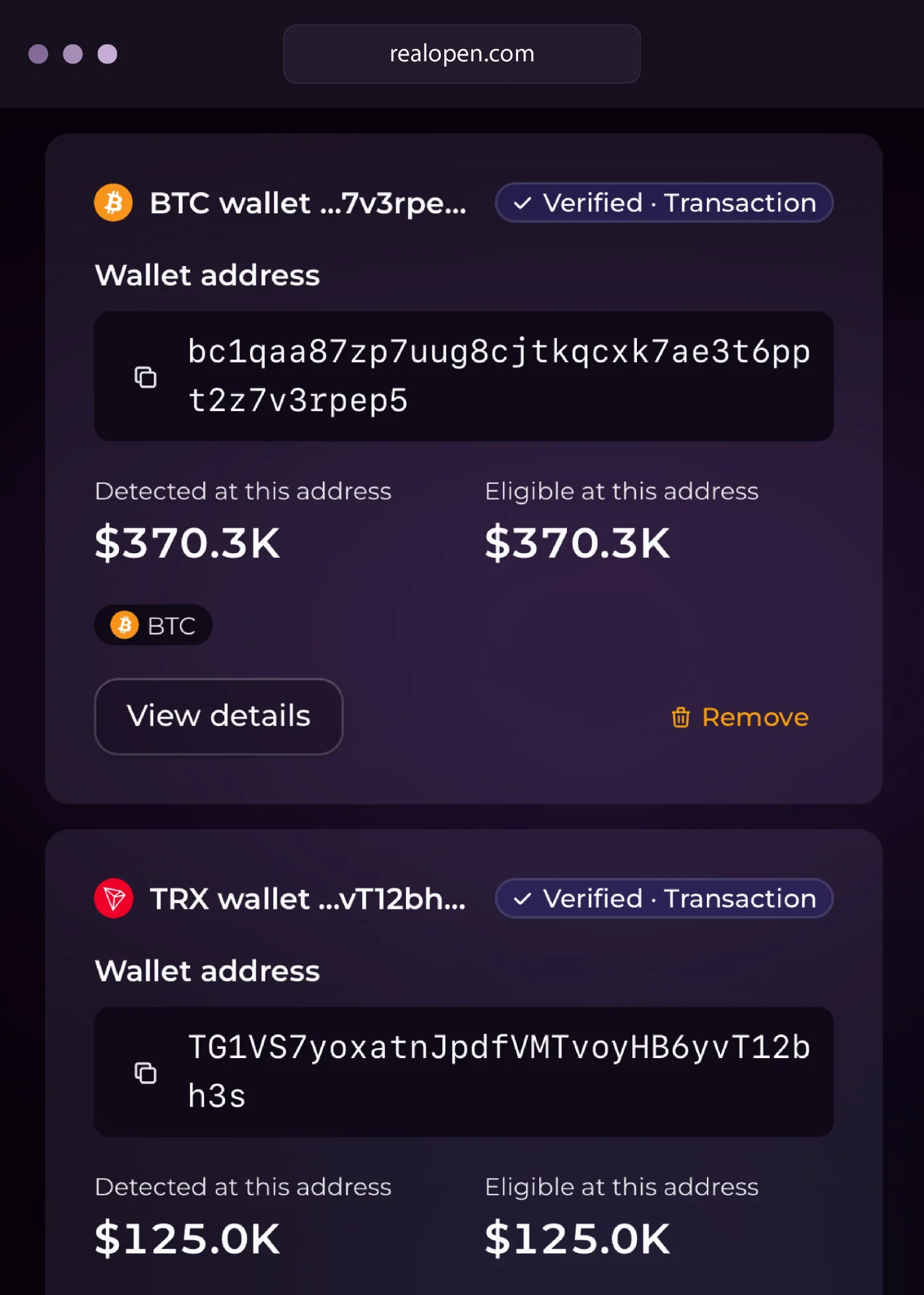
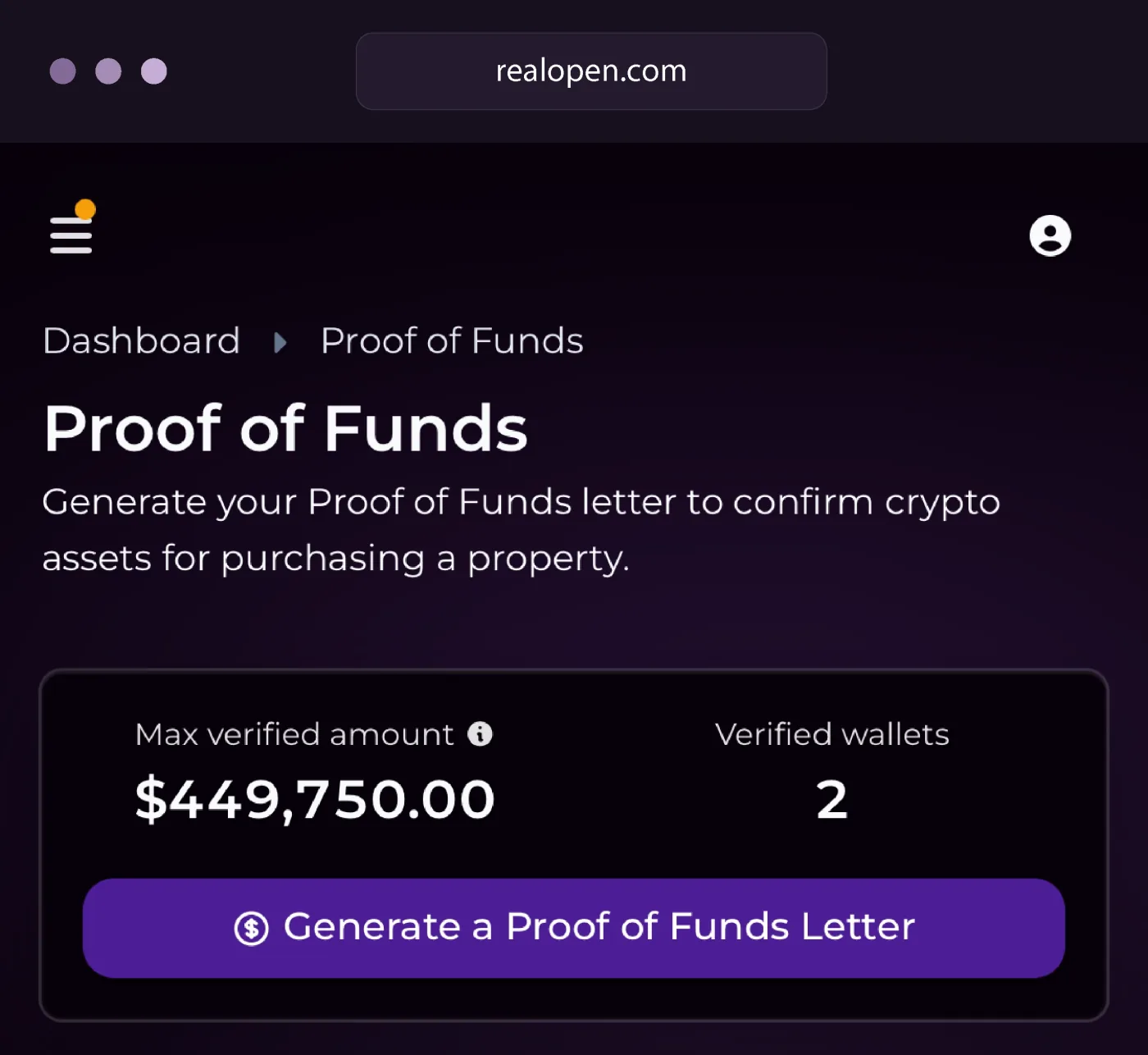
Once your identity and at least one wallet are verified, two documents are available from your dashboard. Use the one your purchase calls for, or both. Neither is a preapproval, a hold on funds or a guarantee of value, and generating one does not move, convert or reserve any crypto.
Proof of Funds
Documents verified crypto buying power to support an offer. Generate a letter for any amount up to your max verified amount; it states the verified balance in dollars and carries an ID a listing agent can check at realopen.com/verify. See what a crypto Proof of Funds covers.
RealScore™ Report
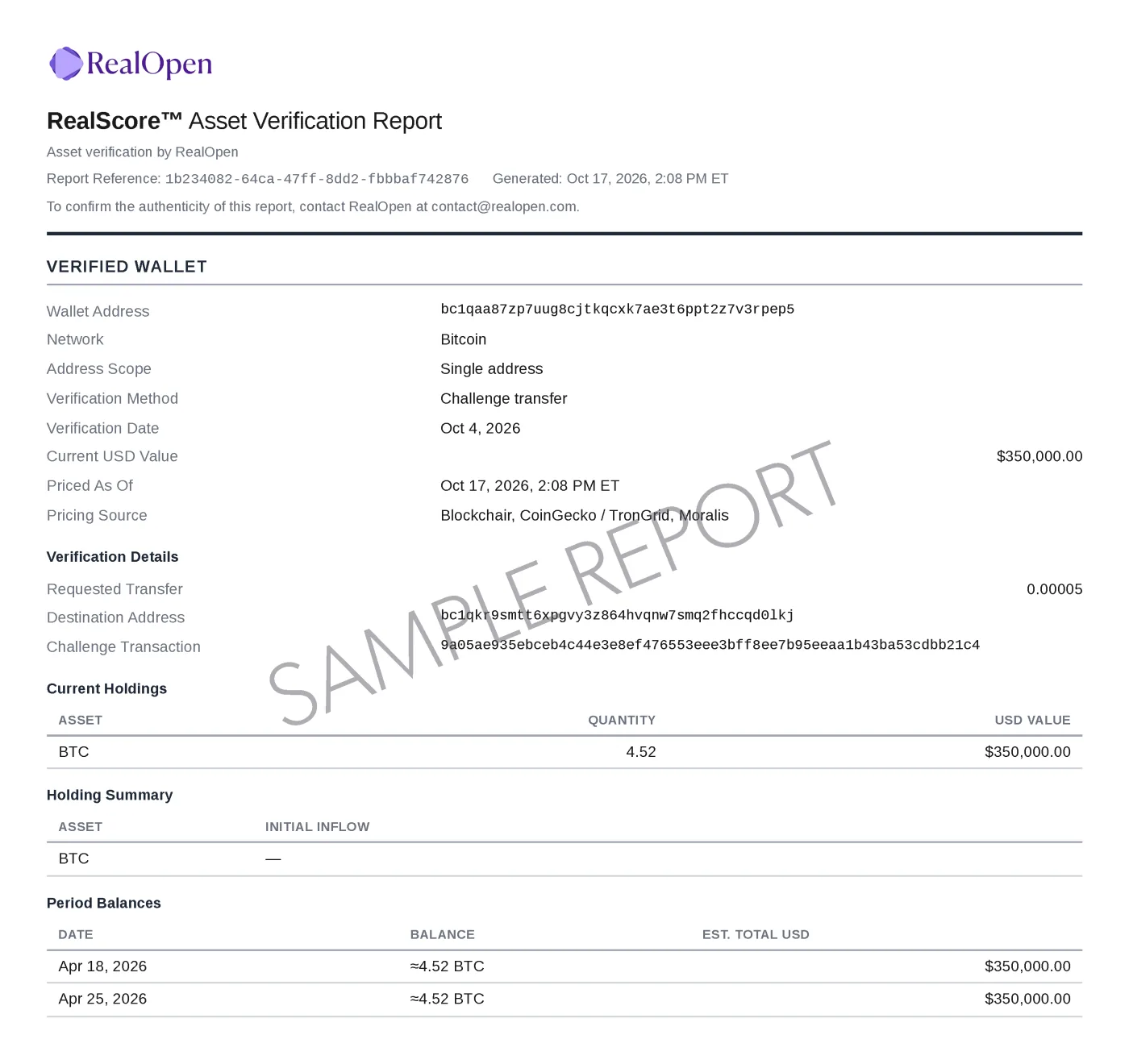
Documents verified assets for lender review: your verified identity, each verified wallet and how ownership was proven, current holdings, and weekly balance history reconstructed from the chain. Assembling it can take up to a minute. Read more about the RealScore™ Report.
RealScore™ Report
The verified-wallet page is what a reviewer reads first: how ownership was proven and when, what the wallet holds today, and the weekly balances behind it. Later pages add combined balances, buying power by horizon, attestations and transaction history.
Step 4
Set up and manage your deal
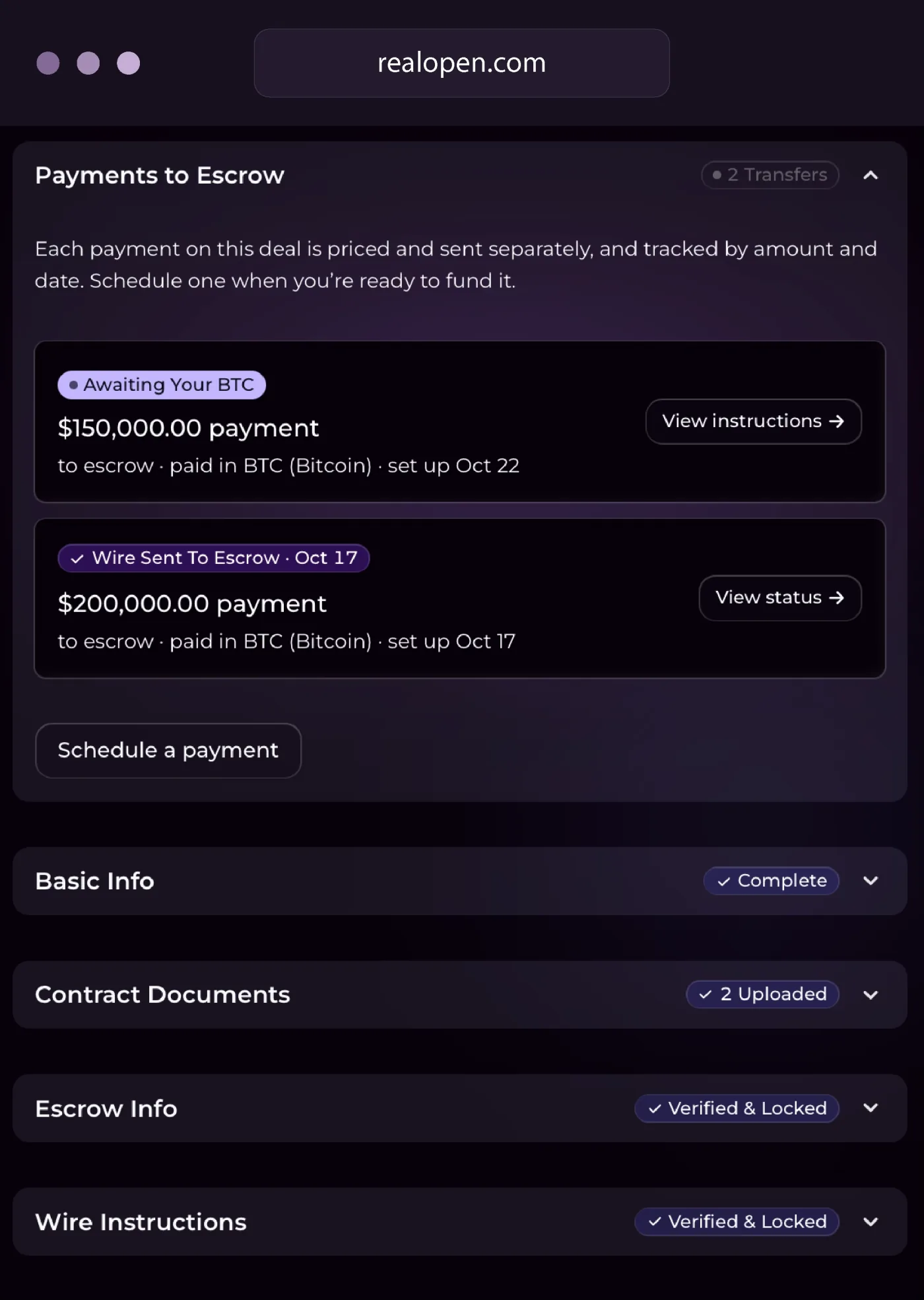
A deal is the workspace for one purchase: the property and price, your target closing date and the assets you intend to fund with, contract documents, and the escrow company’s wire instructions, which RealOpen’s team verifies by phone and locks before any payment can be quoted. Create it when you are under contract, or earlier to organize as you go; verification and documents do not wait for it.
Your agent, your lender, the title company and the escrow provider run the transaction as usual. RealOpen handles the crypto-to-dollar funding and the paper trail. For the settlement side, see what happens at closing with escrow and title.
Step 5
Request your quote and send crypto
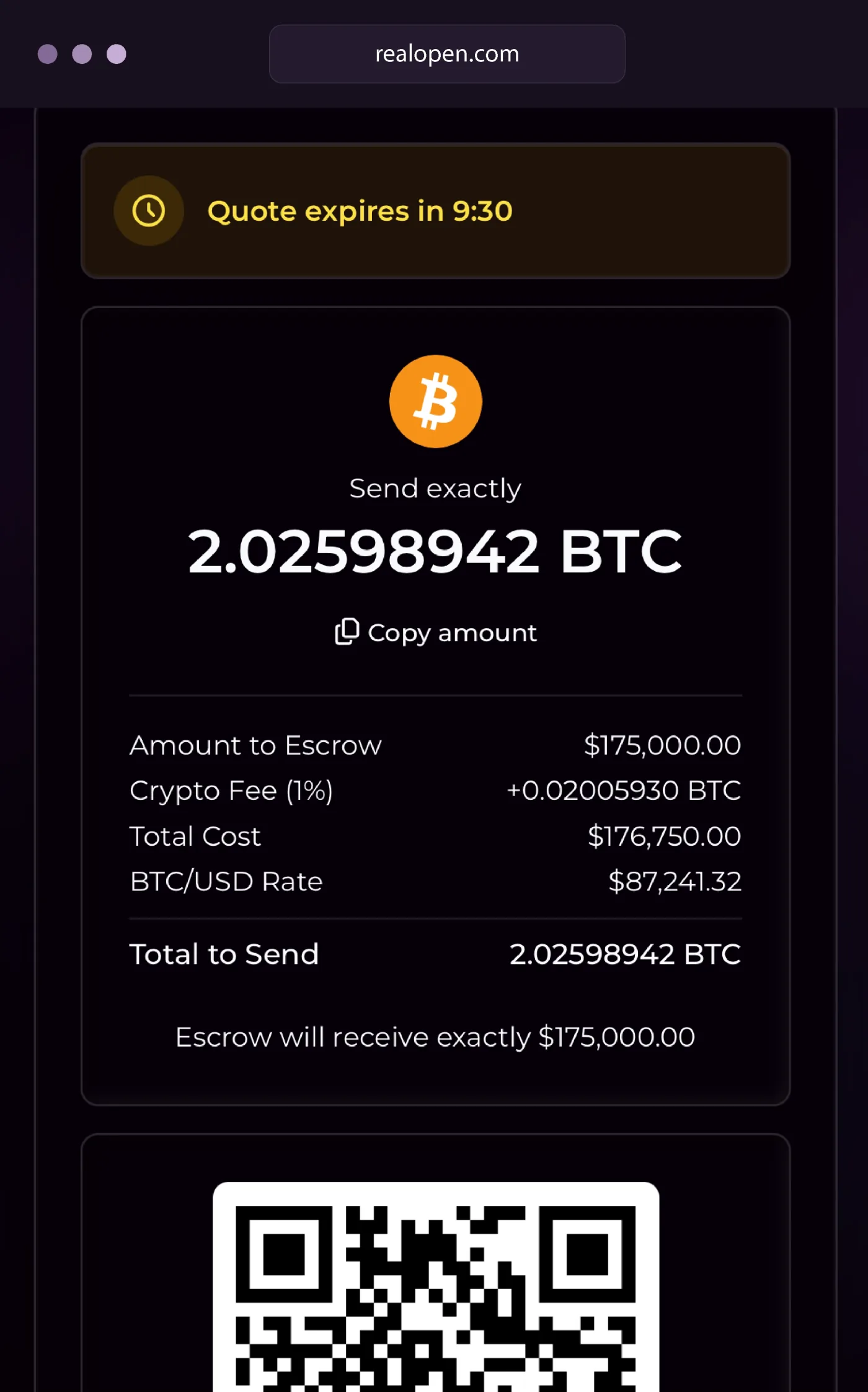
Funding happens one payment at a time, from the deal page, for the amount due to escrow: a down payment, or all or part of an outright purchase. Set the amount and timing, then request a settlement quote. RealOpen’s desk prices it from a live OTC rate, and it appears on the page the moment it is delivered.
The quote shows the exact crypto amount to send, the rate, the fee, the dollar proceeds to escrow and when it expires. The rate is locked for 10 minutes from delivery: send exactly that amount from your verified wallet to the deposit address shown, inside the window, then tap Accept. The lock covers that payment only. If a transfer confirms after the quote expires, RealOpen’s team reviews it and works out any difference with you.
More details: How Crypto Funding Works, How Long Crypto Transfers Take to Confirm
Step 6
Track funding and access your Transaction Record
Each payment’s status updates live on the deal page: pricing your quote, quote ready, awaiting your crypto, received and confirming, received, wire sent to escrow. RealOpen converts the crypto and wires the dollars to escrow. A deal can hold several payments, each quoted, sent and tracked separately.
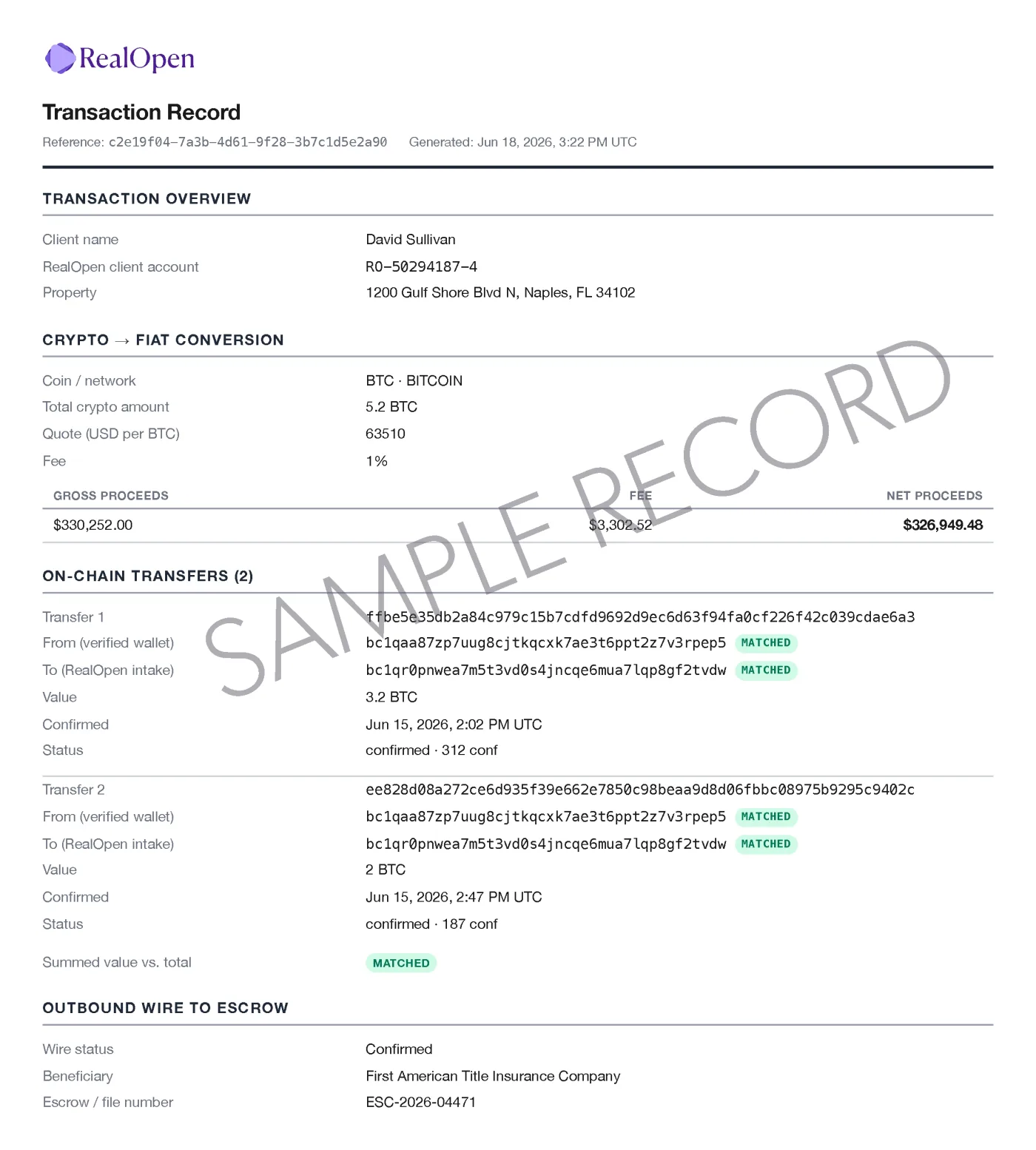
When the wire goes out, a Transaction Record is posted to the deal: the source-of-funds paper trail lenders and closing agents ask for. “Wire sent” means the dollars left for escrow; your closing agent confirms receipt, and the purchase closes on the contract’s terms.
Transaction Record
One record per payment: the conversion, every on-chain transfer matched to your verified wallet and to RealOpen’s intake address, and the outbound wire to escrow. Once finalized, the record carries a content hash and cannot change. Banking details are redacted in this sample.
Using crypto for a mortgage down payment?
RealOpen helps document your crypto assets, conversion, and funding for a traditional mortgage. Your lender determines its documentation and funding requirements.
RealOpen is not a mortgage lender and does not offer crypto-backed loans. A dollar wire for the down payment does not turn a financed purchase into a cash purchase; your contract and contingencies follow the financing.
Start with verification. Find the property later.
Create your account, verify your identity and a wallet, and your Proof of Funds or RealScore™ Report is ready before you make an offer. Buying outright or financing, the first three steps are the same.
More information: Crypto Proof of Funds, The RealScore™ Report, Crypto Down Payment With a Mortgage, How Crypto Funding Works, Common Questions
Frequently asked questions
Have more questions? Reach out anytime.